AI photo restoration · made simple

Restore old photos in seconds.

RestorePhoto repairs scratches, tears, and fading with AI photo restoration, in about fifteen seconds. Free to try.

180,000+ photos restored Private by default
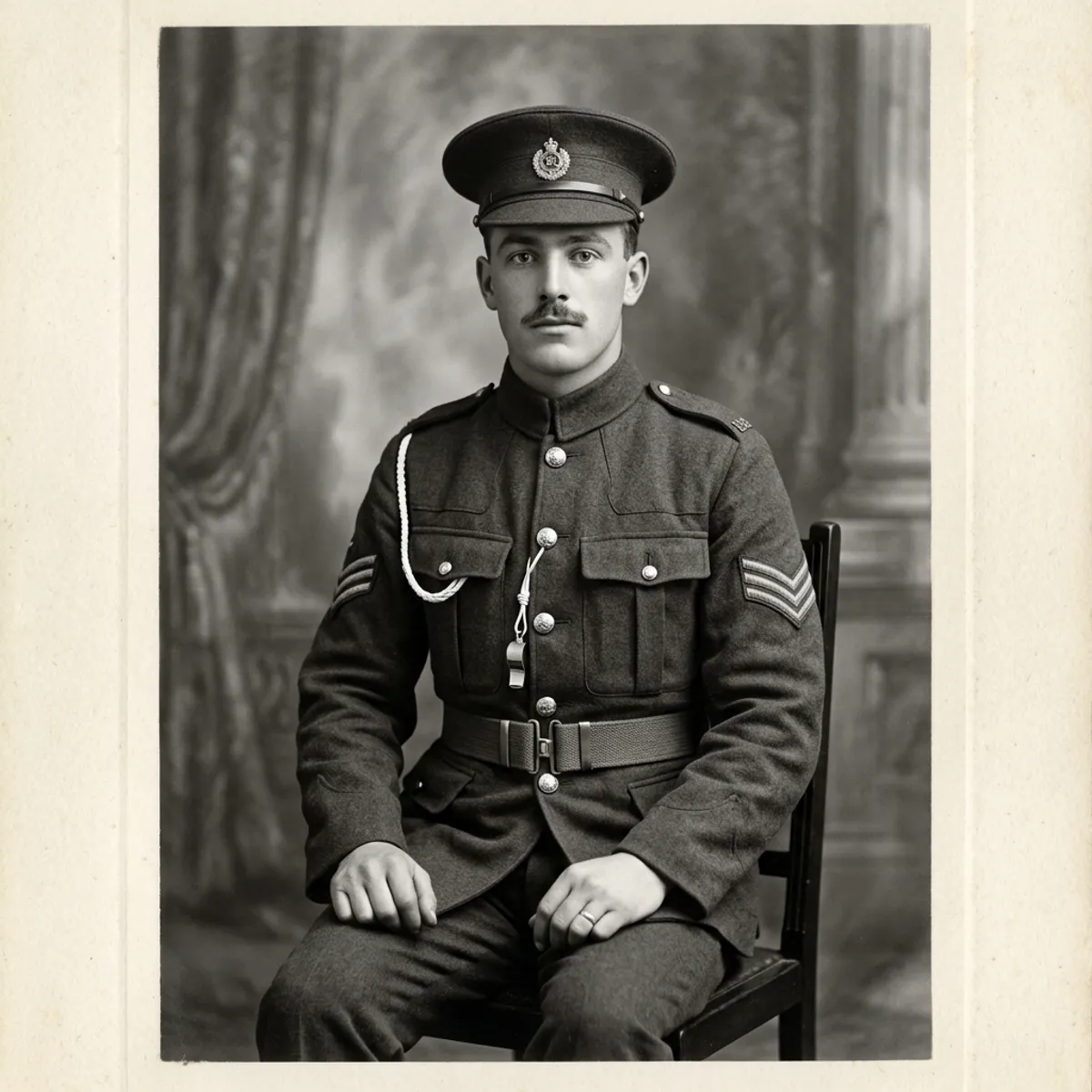
Restored 1940s black-and-white portrait after AI photo restoration
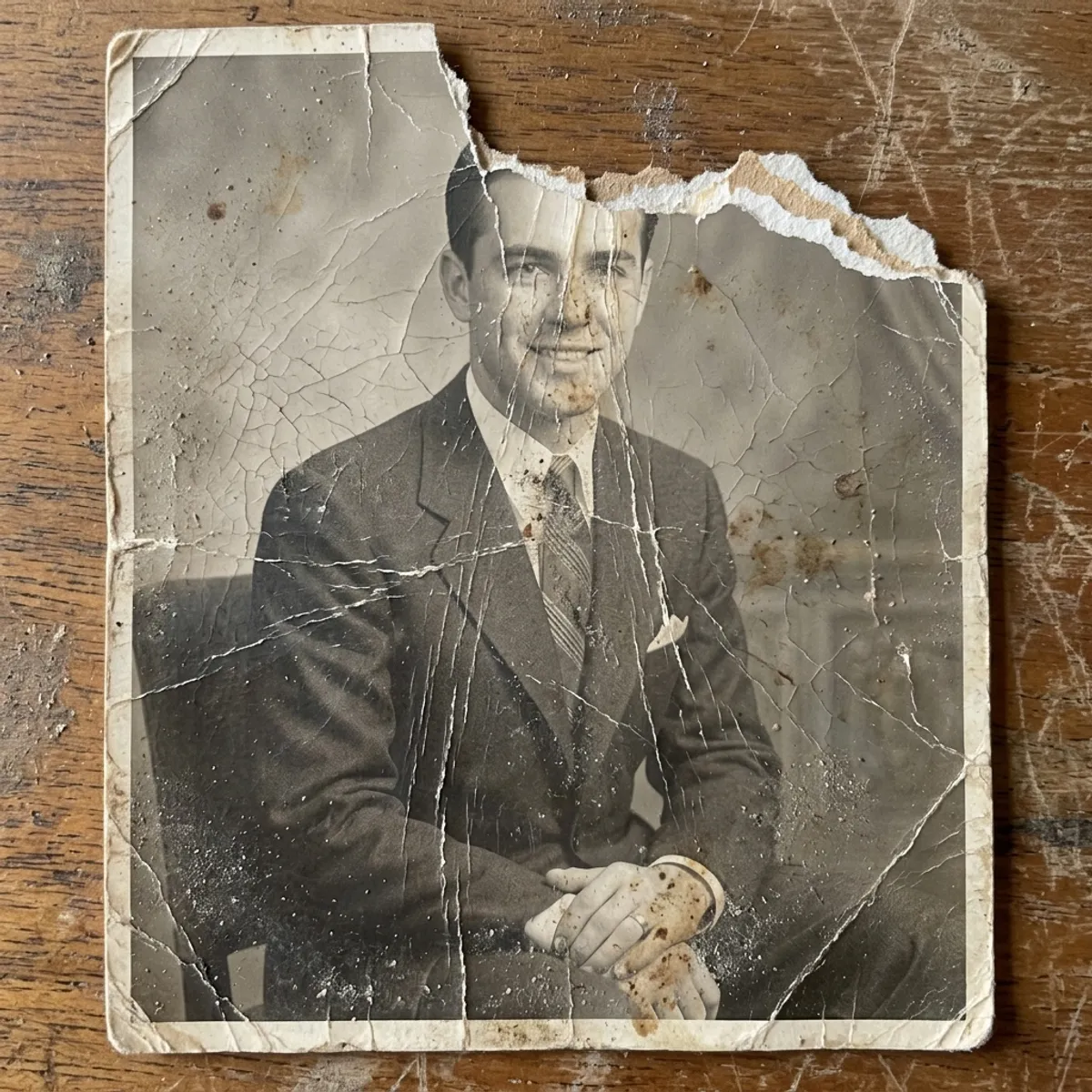
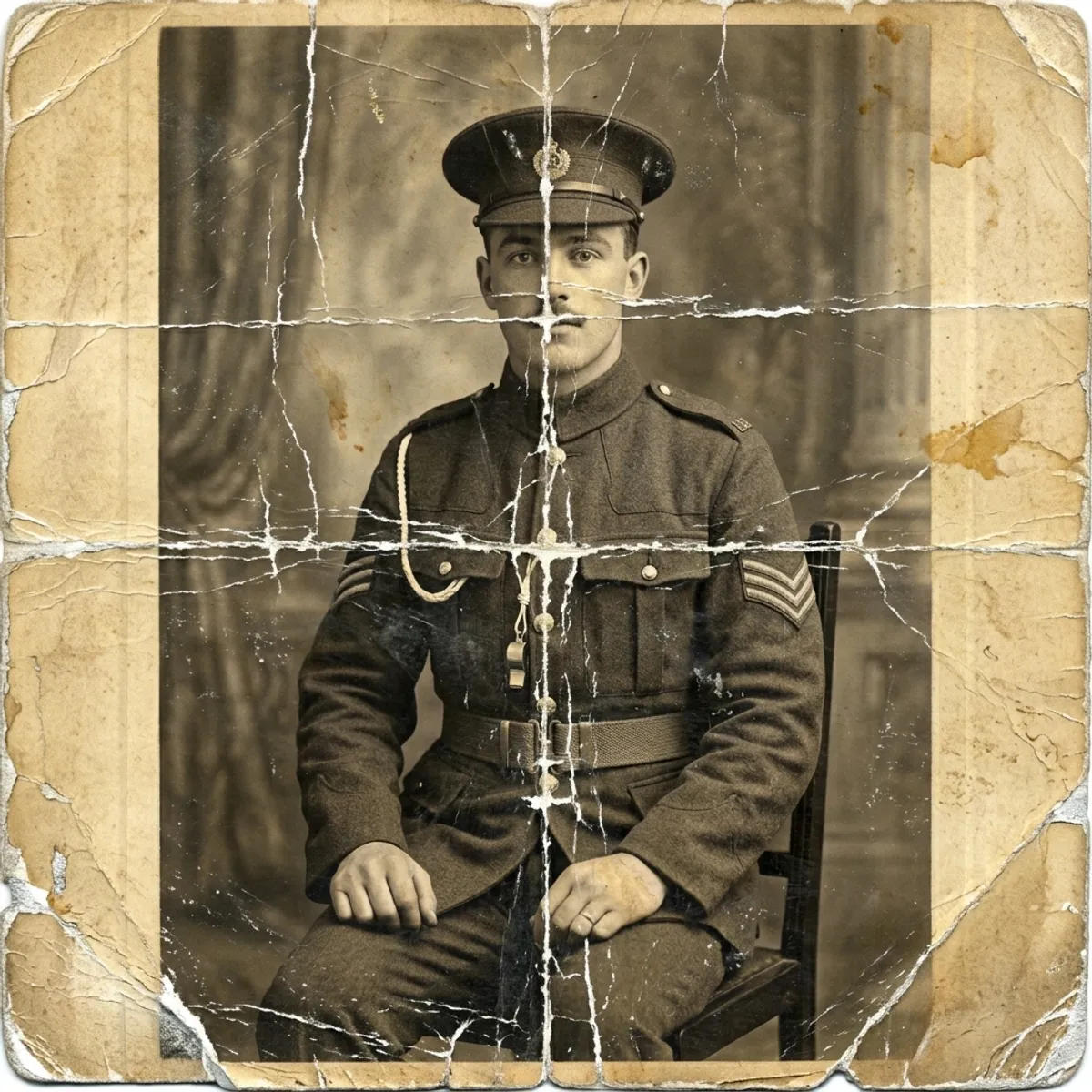
Original damaged 1940s black-and-white photograph before restoration
Before After
MC
★★★★★

"I cried. That's my grandfather, clear as day."

Marjorie C., Ohio

As seen in

How it works

How to restore old photos in three steps.

Built for people who love their photos more than they love their computers. If you can take a picture, you can use RestorePhoto. No scanner, no Photoshop.

1
Damaged 1940s black-and-white photograph laid flat, ready to be photographed with a phone

Snap the original

Lay the photo flat, open the app, and point your phone at it. The app auto-detects the edges and straightens the crop for you, no scanner needed.

2
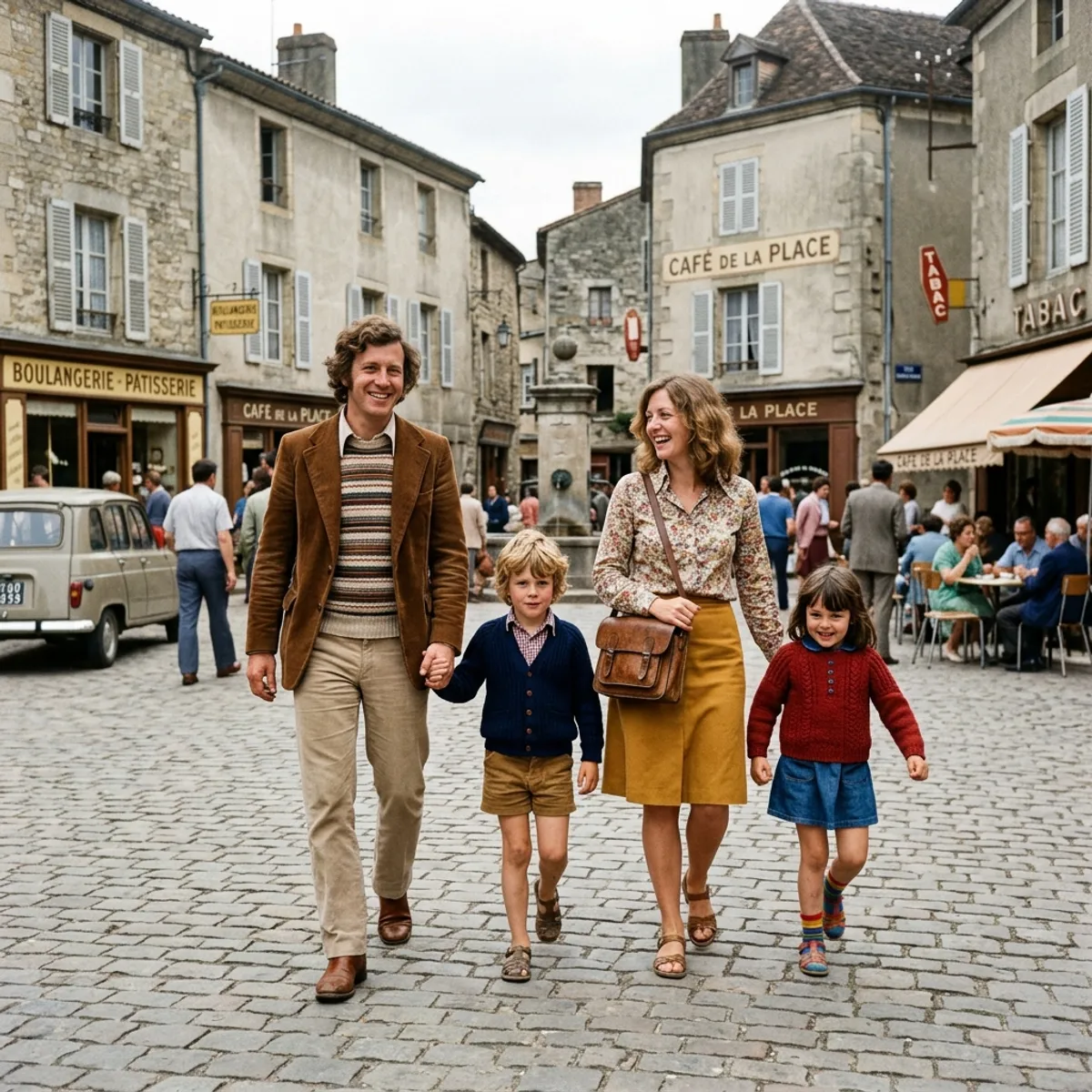
Same 1940s photograph after AI restoration, colorized with natural, period-accurate tones
Damaged 1940s black-and-white photograph before AI restoration
Before After

AI does the heavy lifting

Our restoration model removes scratches, fills in tears, recovers faded color, and sharpens faces, all in about fifteen seconds. Black-and-white stays black-and-white by default. Want color? Ask and it colorizes too.

3

Share or print at home

Save to your camera roll, text it to family, or order an archival print. Everyone on the group chat gets the version that looks the way you remember.

Features

The best photo restoration app for old, damaged, or faded prints.

Repair damaged photos, restore faded colour, sharpen blurry old pictures, and colorize black-and-white photographs. Every feature exists because someone trusted us with a photo of the person they miss most.

True-to-life AI photo restoration

We repair, we don't reinvent. Faces keep their character (freckles, dimples, the way your dad's ear sticks out), none of that AI-plastic look.

Restore old photos in 15 seconds

Restorations that used to take a studio a week now happen on your phone while the kettle boils. Faster than any other photo restoration app.

Private by default

Your photos stay in your library until you delete them, encrypted at rest. We never sell them and we never use them to train any model.

Repair scratches, tears & fading

Fixes the damage analog photos collect over decades: torn corners, water stains, severe yellowing, silver mirroring on old prints.

Colorize black-and-white photos

Add natural, period-accurate colour to old monochrome portraits, wedding photos, and family snapshots, without that over-saturated AI look.

Re-run with custom instructions

Not happy with a result? Re-run with a short instruction like "make my dress red" or "remove the building behind me", and the AI applies just the change you asked for.

Letters we've kept

"I cried. Then I called my sister."

Stories from the people who've trusted us with their family albums.

★★★★★

"We had one photo of my parents from their honeymoon and it was half torn. I uploaded it on a whim and it came back like it had never been damaged. It's framed on the mantel now."

PL
Patricia L.
Asheville, NC • Restored 23 photos
★★★★★

"A local studio quoted me $90 a print. I did my grandmother's whole album in an afternoon for the price of one. My sister thought I'd paid a pro."

DM
David M.
Portland, OR • Restored 412 photos
★★★★★

"I'm 78 and not great with phones. This was the first app where I didn't have to call my son for help. The buttons are big and the words make sense."

ET
Edward T.
Tulsa, OK • Restored 47 photos
★★★★★

"I made a slideshow for my dad's 90th. Watching him see his mother's face clearly for the first time in fifty years, that was the moment I knew this was worth it."

YR
Yvette R.
Montréal, QC • Restored 88 photos
Pricing

Simple, honest pricing.

Start free. Upgrade when you're ready. Cancel anytime, one click.

Free

Perfect for trying it out.

$0 forever
No credit card needed
  • 3 restorations to try
  • Watermarked preview downloads
  • Works in any web browser
Start free
Best value

Pro

Everything, including videos.

$8.25 /mo
Billed $99 yearly
  • Everything in Family
  • Living Memory videos (10/month), coming soon
  • Priority processing queue
  • Early access to new features
  • Priority email support
Choose Pro

*Unlimited use is subject to our fair-use policy.

Frequently asked

How to restore old photos: your questions, answered.

How can I restore old photos for free?
RestorePhoto gives you three free AI photo restorations, no credit card needed. Snap the original with your phone and the AI removes scratches, tears, fading, and water damage in about 15 seconds. Free downloads are watermarked and capped at 1600px, and a re-run counts as one of your three. Upgrade to Family or Pro for full-resolution downloads.
What's the best app to restore old photos?
We're biased, but we think the best photo restoration app is the one that gets out of your way. RestorePhoto is built around three things: speed (15 seconds, not minutes), faithfulness (we repair, we don't reimagine, so faces keep their character), and price (free to try, then $4.08/mo on the yearly plan). No Photoshop knowledge needed.
Can AI restore severely damaged photos with scratches and tears?
Yes. We've had good luck with photos that are torn, water-stained, heavily creased, severely faded, silver-mirrored, or missing small chunks. The one thing AI photo restoration can't invent is detail that was never captured in the original. If a face was blurred because the photographer shook the camera in 1938, it'll still be a little soft. When in doubt, just try it.
How do I colorize a black-and-white photo?
Upload the photo, then use the re-run box and type an instruction like "colorize this photo". RestorePhoto keeps black-and-white photos black-and-white by default, but on request it adds period-accurate colour to portraits, wedding photos, and snapshots, choosing tones that match the era and the subject's likely complexion, hair colour, and clothing rather than the over-saturated look older tools produced.
How do I make a blurry old photo clear?
Our restoration pipeline includes targeted de-blur and 2× upscale steps that sharpen faces, fine detail, and edges without inventing features that weren't in the original. It works best on photos that are slightly soft due to scan quality or focus drift; truly motion-blurred shots stay a little soft because the original detail simply isn't there.
How do I restore faded colour photos?
Upload the photo and we'll automatically detect the faded layer (most often the cyan/yellow channels in 70s and 80s prints) and rebuild the original colour balance. Vintage photos with sun-bleach, water spotting, or magenta cast usually recover their original tones in one pass.
How long does AI photo restoration take?
About 15 to 30 seconds per photo, depending on file size and how damaged it is. Larger files (over 12 MP) and heavily damaged photos land at the higher end because the model spends more time on the repair pass. Pro subscribers get priority queue access during busy periods.
What's the difference between RestorePhoto and Photoshop for old photos?
Photoshop gives you total control but takes hours per photo and requires real skill. RestorePhoto is a one-tap AI photo restoration app: you don't need to learn the healing brush, layer masks, or curves. Most people get a result in 15 seconds that would take a Photoshop expert 20 minutes, at the cost of fine-grained control.
Can I scan old pictures with my phone?
Yes, that's the whole point. Lay the photo flat in soft, even light, hold your phone parallel to it, and snap a picture. Our auto-crop straightens the edges and removes glare. No flatbed scanner needed. (If you do already have scans, those work great too.)
Can I restore old photos from my phone, or do I need a computer?
Either works. RestorePhoto runs in any modern browser on iPhone or Android, no app download required. You can also use it on a desktop if your scans live there.
Will the AI restored version look fake or over-processed?
It shouldn't. The model is tuned to repair, not reimagine. We put strong guardrails around preserving texture, grain, and lighting from the original era, and we explicitly tell the AI not to invent objects, change backgrounds, or alter identities. If the result drifts, you can re-run with a custom instruction (e.g. "keep more film grain") to nudge it back.
What if I'm not happy with the result?
Every restoration on the Results page has a "Re-run with custom instructions" button. Type a short instruction ("make my dress red", "remove the bin in the corner", "warmer skin tones") and the AI applies just that change on top of the restored image. Free plan: counts as one of your three. Family/Pro: unlimited.
Do you train your AI on my photos?
No. Your photos stay in your personal library until you delete them, and they're encrypted at rest. We don't sell them and we don't use them to train any model. You can delete individual photos or your whole account at any time.
Can I cancel my subscription anytime?
Yes. The cancel button is on the first page of your account settings (not buried). Cancellations take effect at the end of the current billing period; anything you've already restored is yours to keep forever.
Get started

The photos aren't getting any younger.

Restore Old Photos runs in your browser, so there's nothing to install. Pick one out of the album tonight; fifteen seconds from now it'll look the way you remember.